









QwikCapture for Mac
- Paid
- 4.3
- 2
- V1.0.11
Download for Mac
View an ad to download for free

- Jayu Software Studio
- More programs (3)
Native macOS screenshots, annotation, recording, and sharing
QwikCapture is a native screenshot and short screen recording utility built for macOS 15 or later. It brings capture, annotation, recording, local saving, and temporary sharing into one focused desktop app, so you can document what is on your screen without setting up a workspace or maintaining a media library.
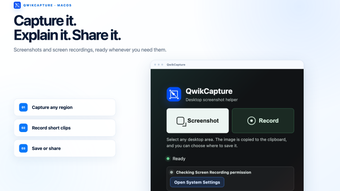
Use area capture when you need to preserve a specific part of the screen. Drag over the region you want, then refine the result in the built-in annotation editor. Add text to explain an issue, arrows to point at an important control, rectangles or circles to mark areas, brush strokes for freehand notes, and mosaic redaction to conceal private details. The finished screenshot can be copied to the clipboard or saved directly to the Mac.
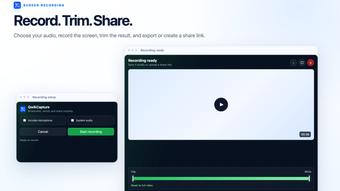
Use a short screen recording when motion, timing, or a sequence of actions matters more than a still image. Record for up to 60 seconds and include system audio or microphone audio when those options are enabled. A clear recording status and stop control help you capture only the useful moment. After recording, preview the result, trim the beginning or end, and save it locally.
QwikCapture fits naturally into everyday communication. It can show how a software issue was reproduced, capture the exact point where a workflow became confusing, add context to a support request, document a visual change during a review, or create a concise walkthrough for a teammate or customer. Short captures keep feedback specific and make it easier for other people to understand what happened.
Local processing is the default. Screenshot capture, screen recording, annotation, preview, trimming, clipboard copying, and local saving take place on the device. The app does not upload a capture automatically. A screenshot or recording is sent to QwikCapture-controlled storage only after the user chooses to create a temporary share link and confirms the upload. Anyone with that link can view the shared item, and the shared file and link are automatically removed within 24 hours.
QwikCapture is designed for fast, lightweight visual communication. Capture the important moment, add the explanation it needs, save it on your Mac or create a temporary link, and continue the conversation.
Loading…
App specs
Developer
- Jayu Software Studio
- More programs (3)
License
Full
Version
1.0.11
Latest update
Platform
Mac
OS
macOS 10.15
Language
English
Available languages
- English
- Chinese
- Japanese
Downloads
2
Last month's downloads
- 2
Size
2.90 MB
Program available in other languages
QwikCapture for Mac
- Paid
- 4.3
- 2
- V1.0.11
Download for Mac
View an ad to download for free
User reviews about QwikCapture
Have you tried QwikCapture? Be the first to leave your opinion!
Add reviewTop downloads Screen Capture for Mac
Top downloads Screen Capture for Mac
Top downloads Screen Capture for Mac
Related topics about QwikCapture
Latest articles

Trump faces new Truth Social lawsuit: $100,000 early access to posts

Vivodyne unveils the world’s largest biological datacenter
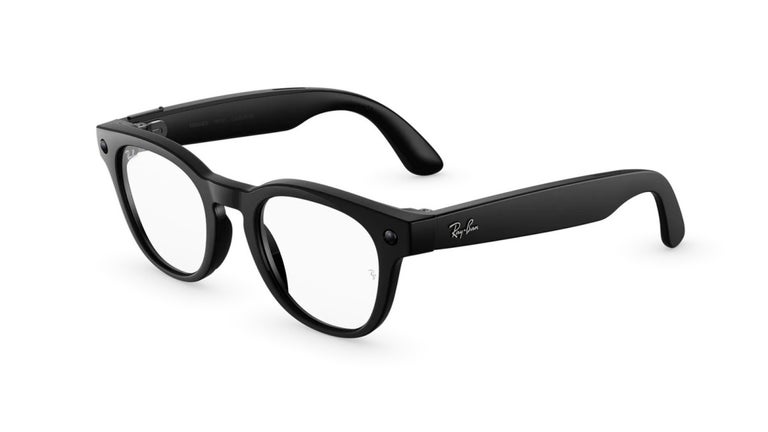
Meta donates 15,000 Ray-Ban Meta smart glasses to Vision Ireland

Star Wars Jedi: Survivor is now on EA Play: you can play it through Game Pass too

Zelda: Tears of the Kingdom won’t get DLC: Nintendo confirms
Laws concerning the use of this software vary from country to country. We do not encourage or condone the use of this program if it is in violation of these laws. Softonic may receive a referral fee if you click or buy any of the products featured here.